How can I confirm that data is being transmitted in RS 422 mode? Are there specific driver updates or BIOS settings (such as IRQ or PCIe latency) that need to be checked? How can I verify these cards through a loopback test
Industrial & Serial/Parallel Solutions · Updated 2026/08/20
Q: How can I confirm that data is being transmitted in RS‑422 mode? Are there specific driver updates or BIOS settings (such as IRQ or PCIe latency) that need to be checked? How can I verify these cards through a loopback test?
A: Please check and confirm the following configurations:
1. Driver & OS Compatibility
- Windows Version: Which specific build/edition of Windows 10 Pro is the system running?
- Driver Status: Please note that the manufacturer-provided driver has reached End of Life (EOL) and may encounter compatibility issues with newer operating system updates.
2. Hardware Jumper Settings
Ensure the physical jumpers are set correctly for RS-422 mode as shown below:
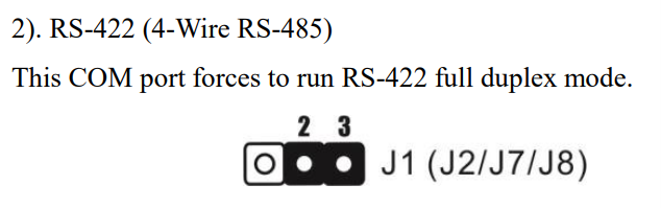
Note: This COM port configuration forces the system to run in RS-422 full-duplex mode.
3. RS-422 Loopback Test Instructions
To verify the cards, you can perform a loopback test using the following steps:
- Prepare the Port: Convert your serial port to a female connector if it isn't one already. You can use a female-to-female cable or a gender changer plugged into the serial port.
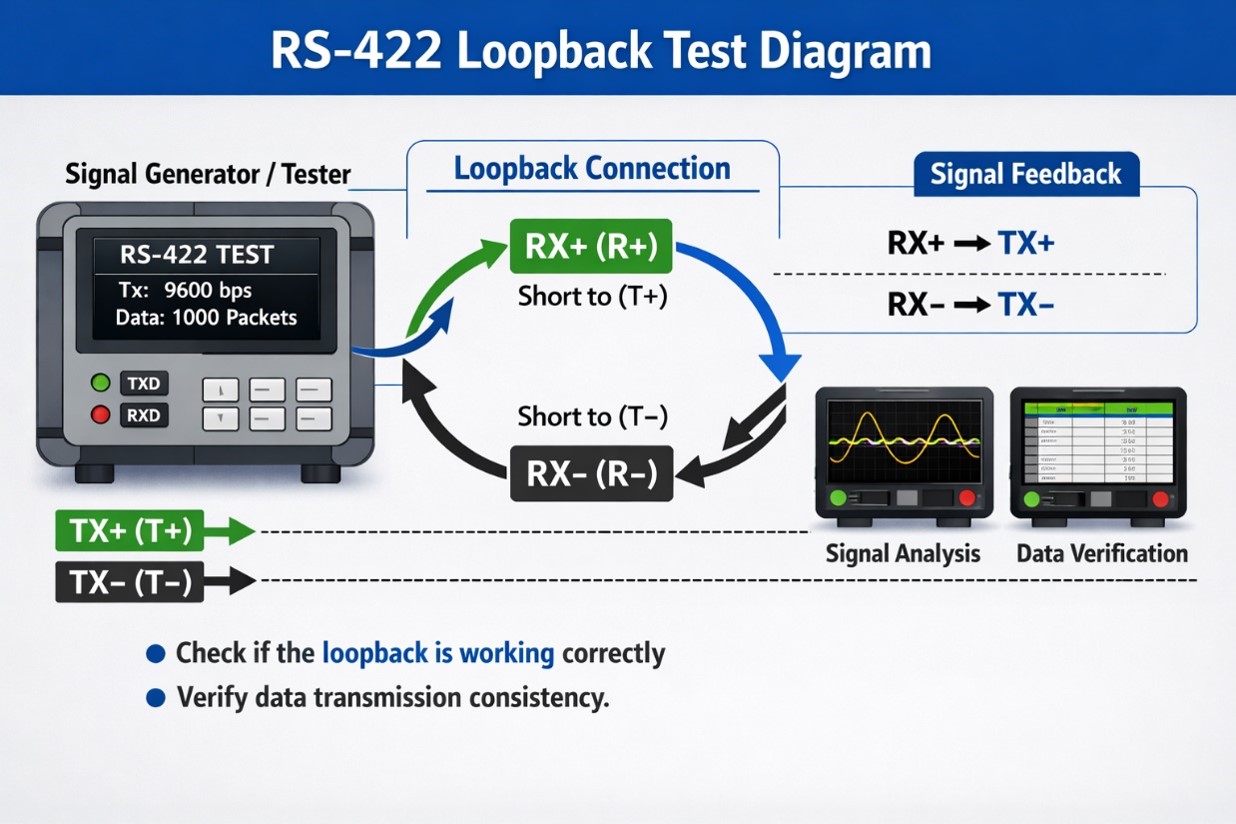
- Wire the Loopback: Use a metal paperclip or a piece of wire to short/cross T- with R- and T+ with R+. (Please refer to the device casing or the manual to identify the correct pinouts for T+, T-, R+, and R-).
- Open a Terminal Session: Connect to the specific COM port using a terminal emulation client such as PuTTY or HyperTerminal (Note: HyperTerminal is built into Windows XP, but for Windows 10, PuTTY or a similar third-party tool is required).
- Verify Communication: Once the session is open, type any characters into the window.
- Pass: If you can see the characters you type, the loopback test is successful.
- Fail: If nothing appears on the screen when you type, the loopback test has failed.